Color Plates Puzzle Arcade
TAP TO PLAY

Color Plates Puzzle Arcade

Developer: Net Nova Digital
Published: 2024-09-22
Updated: 2026-06-12

Reviews

Color Plates offers a straightforward yet engaging experience. The controls are responsive, and the challenge increases at a good pace. It is easy to pick up for a few minutes, but the scoring system encourages replay to beat your own high score. The game is family-friendly and works well on mobile devices, making it a solid choice for casual gaming.

Description

Game Introduction

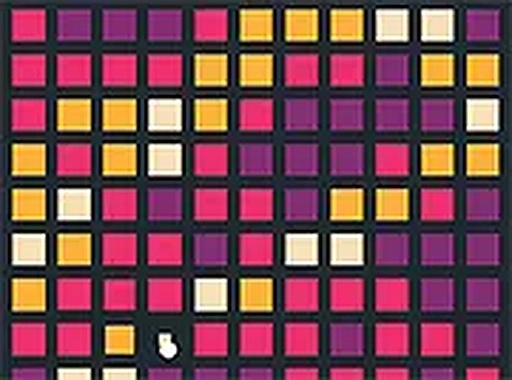
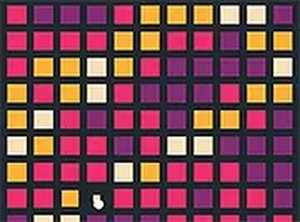
Color Plates Puzzle Game - Arcade Game is a free online puzzle and skill game that offers a simple yet engaging challenge. In this game, you control a white ball that must break squares to progress. As you play, red bombs appear, and your goal is to touch them, turning them into green rings. The more rings you collect, the better your score. This game is perfect for players of all ages who enjoy fast-paced, brain-teasing fun. It runs directly in your browser on both mobile devices and desktop computers, with no downloads required. Whether you have a few minutes or want a longer session, Color Plates provides an entertaining experience that tests your reflexes and strategic thinking.

How to Play

To play Color Plates, start by guiding the white ball to break the squares on the screen. As you break squares, red bombs will appear. Your task is to touch these red bombs to turn them into green rings. Collect as many green rings as you can to achieve a high score. The game is easy to pick up but requires quick reactions and careful planning. You can play in full screen mode for a more immersive experience. Use simple controls on your keyboard or touchscreen to move the ball and interact with the game elements. No special skills are needed, just a willingness to have fun and improve your score with each try.

Game Features

Game features include family-friendly content, free access, mobile-friendly design, and a full-screen mode for an enhanced experience. The game is suitable for all ages and runs smoothly on both mobile devices and desktop computers. No downloads or installations are required, making it easy to start playing instantly.

Tips for Success

To improve your score in Color Plates, focus on touching red bombs quickly to turn them into green rings. Plan your movements to break squares efficiently and avoid missing bombs. Practice regularly to sharpen your reflexes and develop better strategies. Each session is short but rewarding, so take your time to learn the patterns and enjoy the challenge.
Compatibility

This H5 game runs smoothly on:
• Desktop computers (Windows / Mac) • Mobile phones (iPhone / Android)
• Tablets (iPad / Android)
🌐 Best experienced with Chrome, Safari, or Edge
Faq
Is Color Plates Puzzle Game free to play?
Yes, the game is completely free to play. There are no hidden costs or in-app purchases required. You can enjoy the full experience without any payment.
Can I play Color Plates on my mobile phone?
Yes, the game is mobile-friendly and works on both smartphones and tablets. It runs directly in your browser, so no app download is needed. Just open the game on your mobile device and start playing.
Do I need to download anything to play Color Plates?
No downloads or installations are required. The game runs entirely in your web browser, whether on a desktop computer or a mobile device. Simply visit the game page and start playing instantly.
Is Color Plates suitable for young children?
Yes, the game is family-friendly and suitable for players of all ages. It contains no violent or inappropriate content, making it a safe choice for children. The simple controls and engaging gameplay are easy for kids to understand.
What happens when I touch a red bomb in Color Plates?
When you touch a red bomb, it turns into a green ring. Collecting these green rings increases your score. The goal is to turn as many red bombs into green rings as possible to achieve a high score.
Can I play Color Plates in full screen mode?
Yes, the game offers a full screen mode for a more immersive experience. You can activate it using the game's controls, which are accessible on both desktop and mobile devices. This helps you focus on the action without distractions.
Advertisement