Reviews
Description
Game Introduction
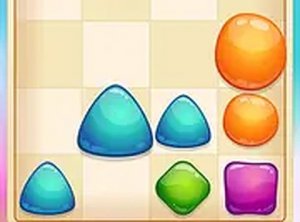
Columns Master 3D is a relaxing match-3 puzzle game that brings a classic arcade experience to modern screens. The game features colorful columns that fall gently against scenic backgrounds, creating a calm and immersive atmosphere. Designed for desktop browsers, it requires no downloads and offers a peaceful mental challenge. The core objective is to arrange three or more matching colors in a row—horizontally, vertically, or diagonally—to make them disappear. The game continues until the columns stack to the top. With its 3D visuals and no time pressure, it provides a soothing escape for puzzle lovers.
How to Play
Playing Columns Master 3D is straightforward. Players use their mouse or keyboard arrow keys to move falling columns left or right. The up arrow key rotates the columns to change the color arrangement. The goal is to line up three or more columns of the same color in a row—horizontally, vertically, or diagonally. When a match is made, those columns disappear, and the columns above drop down. New columns continue to fall from the top, keeping the game active. The game ends when the columns reach the top of the play area. There is no timer, so players can take their time to plan each move.
Game Features
Relaxing 3D match-3 puzzle with scenic backgrounds. Full-screen mode for an immersive experience. Direct browser play with no downloads required. Simple mouse and keyboard controls. No time pressure, allowing for a calm pace. Colorful and visually appealing graphics. Suitable for desktop computers. The game combines classic puzzle mechanics with modern 3D visuals for a soothing experience.
Tips for Success
To succeed in Columns Master 3D, focus on planning ahead. Try to create matches that clear multiple columns at once to keep the stack low. Use the rotation feature to adjust falling columns for better alignment. Practice recognizing patterns quickly to make matches efficiently. Since there is no timer, take your time to think through each move. Regularly clearing columns will prevent the stack from reaching the top too soon. With patience and practice, you can improve your score and enjoy longer sessions.
Compatibility
This H5 game runs smoothly on: • Desktop computers (Windows / Mac) • Mobile phones (iPhone / Android) • Tablets (iPad / Android) 🌐 Best experienced with Chrome, Safari, or Edge