Maze Mission Puzzle Game
TAP TO PLAY

Maze Mission Puzzle Game

Puzzle
Developer: Assassin Reign Digital
Published: 2024-11-23
Updated: 2026-06-12

Reviews

Maze Mission provides a straightforward yet engaging puzzle experience. Each level requires careful planning to collect diamonds and avoid enemies. The difficulty increases gradually, offering good replay value. Controls are responsive, and the game runs smoothly in a browser. It is a great choice for casual gamers who enjoy logic challenges.

Description

Game Introduction

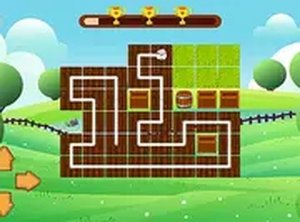
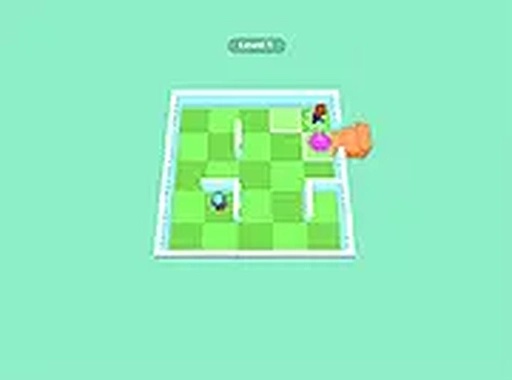
Maze Mission is an online puzzle game where players navigate through a series of maze challenges. The core objective is to find the exit in each maze while collecting diamonds and avoiding enemies. This game combines classic maze navigation with strategic thinking, offering a family-friendly experience that tests your problem-solving skills. It is designed for players who enjoy puzzles that require careful planning and quick decisions.

How to Play

Players typically control a character through a maze using keyboard or mouse inputs. The main goal is to collect all diamonds scattered throughout the maze and then reach the exit to complete the level. Enemies patrol the maze, so you must plan your route to avoid them. Each level presents a new layout, requiring you to adapt your strategy. The game is played directly in a web browser, making it easy to start without any downloads.

Game Features

Maze Mission includes classic maze puzzles with increasing difficulty across many levels. It features simple controls that are responsive on desktop devices. The game includes collectible diamonds that add extra objectives beyond just finding the exit. Its family-friendly visuals and themes make it suitable for all ages. As an online game, it requires no download and can be played instantly in your browser.

Tips for Success

To succeed in Maze Mission, focus on planning your route before moving. Observe enemy patterns and time your movements to avoid them. Prioritize collecting diamonds efficiently, as they may be required to unlock the exit. Practice regularly to improve your speed and memory of maze layouts. Stay calm under pressure, as rushing often leads to mistakes. Use the environment to your advantage by luring enemies away from key paths.

✅ Compatibility & Testing

All games on this site are manually tested on: • Desktop (Windows 11, macOS Ventura) • Mobile (iPhone 14, Samsung Galaxy S23) • Tablet (iPad Pro, Android tablet) 📌 Supported browsers: Chrome, Safari, Edge, Firefox (latest versions) 📌 Not supported: Internet Explorer, older browser versions


Faq
Is Maze Mission free to play?
Based on the game name and typical online puzzle games, Maze Mission is likely free to play in your browser. Many such games are supported by ads or optional in-game purchases, but no specific pricing information is provided in the input.
Can I play Maze Mission on mobile devices?
The input indicates the game is designed for desktop play with keyboard and mouse controls. It may not be optimized for mobile touchscreens, but you can try accessing it on a mobile browser. For the best experience, a desktop or laptop is recommended.
How many levels are in Maze Mission?
The exact number of levels is not specified in the input. However, the game description mentions 'many levels' with increasing difficulty. Players can expect a substantial number of mazes to solve, with new layouts appearing as they progress.

What happens if I get caught by an enemy?

If an enemy catches you, you will likely fail the level and need to restart from the beginning of that maze. The game emphasizes strategic evasion, so being caught means you must try again, learning from your mistakes to avoid the enemy's path.

Are there any time limits in the game?
The input does not mention time limits. Maze Mission may not have strict timers, allowing you to plan your moves carefully. However, some levels might encourage speed, as the description notes that 'speed and strategy are key to success.'
Can I save my progress in Maze Mission?
As an online browser game, progress may be saved automatically using browser cookies or local storage, but this is not confirmed in the input. It is common for such games to remember your last completed level, though you should check the game's settings for save options.
Advertisement