
Reviews
Description
Game Introduction
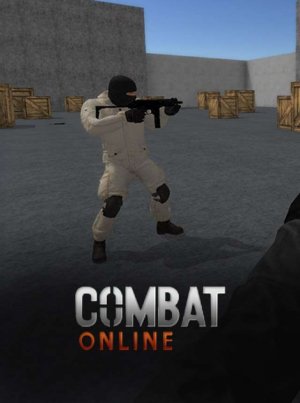
Arena Team Battle places players in a lively arena where cooperation, planning, and accurate use of equipment decide the outcome. The game offers server options that connect players to the nearest location, reducing delays and making every match feel smooth. Players can choose to support Team Red or Team Blue, creating friendly competition and exciting matches. The game includes a variety of tools, from quick hand tools for close encounters to powerful long-range tools for those who prefer distance. Mastering these tools is important for becoming the top scorer. Dynamic environments across multiple maps keep each match fresh, and the colorful graphics make every detail stand out. Simple controls welcome newcomers, while deeper strategy and skill requirements challenge experienced players. Free-for-all mode lets players compete individually, while Team Battle and Capture the Flag modes require teamwork. The map editor allows players to create custom arenas, adding endless variety and creative challenges.
How to Play
Players use the mouse to aim and select targets, the WASD keys to move around the arena, and the Spacebar to jump for tactical positioning. Number keys allow quick tool switching, adapting to different situations. The Shift key provides a burst of speed when needed. At the start, players choose a team, then engage in fast-paced matches. In free-for-all mode, each opponent overcome contributes to personal victory. In team modes, players cooperate with allies to capture flags or overcome opponents. The map editor lets players design custom arenas and share challenges with others.
Game Features
Team-based gameplay, precision tools, custom map editor, and low-latency servers. The variety of tools and maps ensures every match feels unique, and the map editor lets players create endless custom arenas. Dynamic environments keep encounters interesting, and the graphics are designed to be visually appealing.
Tips for Success
Master the different tool types to adapt to any situation. Use quick hand tools for close encounters and long-range tools for distance. Communicate with teammates in team modes to coordinate actions. Practice aiming and movement to outmaneuver opponents. Explore the map editor to create arenas that suit your playstyle and challenge others.

Player Comments
Sign in to comment
You must be logged in before posting a review or rating.
No account? Create one
No comments yet. Be the first to comment!