
Reviews
Description
Game Introduction
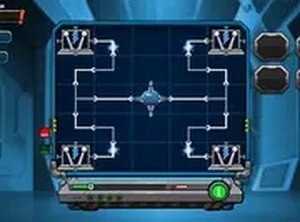
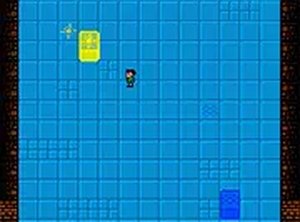
Cybercells Logic Puzzle is a browser-based puzzle game that challenges players to guide a white cell through a series of obstacles to reach the finish line. The game includes 90 levels, each with a unique layout that requires careful thought and planning. Designed for desktop play, it runs directly in your browser without any downloads. The clean visuals and straightforward controls make it easy to start, but the puzzles grow more complex, keeping you engaged. Whether you have a few minutes or want a longer session, Cybercells provides a rewarding experience for casual players and puzzle enthusiasts alike.
How to Play
To play Cybercells, use your mouse or keyboard to move the white cell from the starting point to the finish line. Avoid obstacles and plan your path carefully to avoid getting stuck. Each level introduces new elements that require you to think ahead. There are no time limits, so you can analyze each stage at your own pace. The game is optimized for desktop computers, and you can activate full screen mode for a more immersive view. Simply click the full screen button and enjoy the game without distractions.
Game Features
Game features include 90 challenging levels that test your logic and problem-solving skills. The game is designed for desktop-only play, ensuring a smooth experience with keyboard or mouse controls. It supports full screen mode for an uninterrupted gaming session. Best of all, Cybercells is a free browser game, so you can play it online without any cost or installation.
Tips for Success
Take your time with each level, as there are no time limits. Analyze the layout before moving, and plan a route that avoids obstacles. If you get stuck, try a different approach or look for patterns in the level design. Practice regularly to improve your problem-solving speed and accuracy. Staying patient and methodical will help you overcome the more complex puzzles.












































Player Comments
Sign in to comment
You must be logged in before posting a review or rating.
No account? Create one
No comments yet. Be the first to comment!