LinQuest Adventure Platformer
TAP TO PLAY

LinQuest Adventure Platformer

RPG
Developer: Hero Pixel Studios
Published: 2024-05-16
Updated: 2026-06-12

Reviews

LinQuest delivers a solid platforming experience with well-designed levels that test your timing and patience. The controls are responsive, and the difficulty ramps up gradually, making it accessible for beginners while still offering enough challenge for experienced players. Collecting items adds a light goal beyond just reaching the end, which encourages replaying levels. It is a good choice for a quick, family-friendly gaming session without any complex mechanics or mature content.

Description

Game Introduction

LinQuest Adventure Platformer is a 2D adventure platformer that places you in the role of a hero on a quest for a mysterious treasure. Designed for players of all ages, this family-friendly game offers a safe and enjoyable experience. You can play it directly in your browser on both mobile devices and desktop computers, making it easy to jump into a quick session anytime. The game combines classic platforming elements with light RPG-inspired progression, as you collect items to unlock new levels and uncover hidden rewards.

How to Play

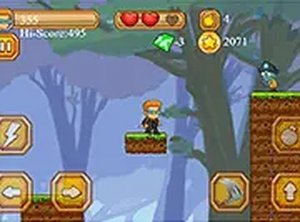
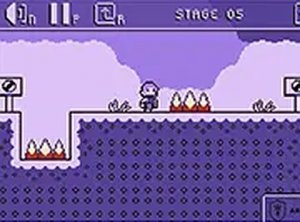
Players control a hero navigating through side-scrolling levels filled with obstacles such as spikes and pits. Using simple keyboard controls, you move left or right and jump to avoid dangers and reach the end of each stage. The goal is to collect items along the way, which help unlock further levels and reveal hidden treasures. The game runs smoothly in your browser with no downloads required, and you can toggle full screen mode for a more immersive experience.

Game Features

Family-friendly 2D platformer with a treasure hunt theme. Simple keyboard controls make it easy to pick up and play. Levels gradually increase in difficulty, providing a gentle challenge. Full screen mode is available for better visibility. No downloads or installations are needed—play instantly in your browser. The game is free to play on any device with a browser, including mobile and desktop.

Tips for Success

Focus on timing your jumps carefully to avoid traps like spikes and pits. Take your time to study each obstacle pattern before moving forward. Collect as many items as you can, as they may help unlock new levels or provide bonuses. Practice regularly to improve your reflexes and learn the layout of each stage. If you get stuck, try a different approach or take a short break to refresh your focus.

Compatibility


▸ Desktop: Chrome / Edge / Firefox / Safari ▸ Mobile: iOS Safari / Android Chrome ▸ Tablet: iPadOS Safari / Android Tablet Browser Keep your browser updated for the best experience


Faq
Is LinQuest Adventure Platformer free to play?
Yes, based on the game description, LinQuest is free to play. You can access it directly in your browser without any downloads or installations. This makes it accessible on both mobile devices and desktop computers, so you can start playing immediately without any upfront cost.
Can I play LinQuest on my mobile phone?
Yes, the game is designed to be playable on both mobile devices and desktop computers. It runs directly in your browser, so as long as you have an internet connection and a compatible browser, you can enjoy LinQuest on your smartphone or tablet.
Does LinQuest require any downloads or installations?
No, LinQuest does not require any downloads or installations. It is a browser-based game that you can play instantly by visiting the game page. This makes it convenient for quick gaming sessions without taking up storage space on your device.
Is LinQuest suitable for children?
Yes, LinQuest is described as a family-friendly game suitable for players of all ages. It offers a safe and non-violent experience with no extreme content. The game focuses on platforming challenges and treasure hunting, making it appropriate for children and adults alike.
What platforms can I play LinQuest on?
LinQuest is a browser-based game, so it can be played on any device with a modern web browser, including Windows, macOS, Linux, Android, and iOS. This includes desktop computers, laptops, tablets, and smartphones, giving you flexibility in how you play.
Does LinQuest have a full screen mode?
Yes, LinQuest includes a full screen mode that you can activate for a more immersive experience. This feature is mentioned in the game description and allows you to expand the game view to fill your entire screen, reducing distractions and enhancing visibility.
Advertisement